
2. Pack the workbench
Continue from the world chapter. Add these objects, descriptions and aliases. Can be taken enables portability; retain each object’s Examine action.
| Object | Alias | Initial placement | Can be taken |
|---|---|---|---|
| canvas satchel | satchel | Workshop | Yes |
| workbench | bench | Workshop | No |
| brass key | key | Inside canvas satchel | Yes |
| copper key | key | On workbench | Yes |
| lens blank | blank | On workbench | Yes |
| lens frame | frame | On workbench | Yes |
| restored lens | lens | Absent | Yes |
| silver token | token | Mira inventory | Yes |
| star chart | chart | Workshop | No |
| oil flask | oil | Workshop, initially hidden | Yes |
| observatory door | door | Courtyard | No |
| telescope | telescope | Observatory | No |
| winding handle | handle | Observatory | No |
| shutter | shutter | Observatory | No |
Storage and standard actions
Section titled “Storage and standard actions”For canvas satchel, enable Can contain items, choose openable and leave Initially open off. For workbench, enable Items can be placed on top.
Open Contents to assign the keys/components to the appropriate inside/on relationship. The satchel can move with its contents.
Choose Set up standard interactions. For the satchel add open, close, look inside, put inside, take from, take and drop. Choose/create the corresponding verbs; use look in with synonym look inside. For workbench add put on and take from. Review commands before applying.
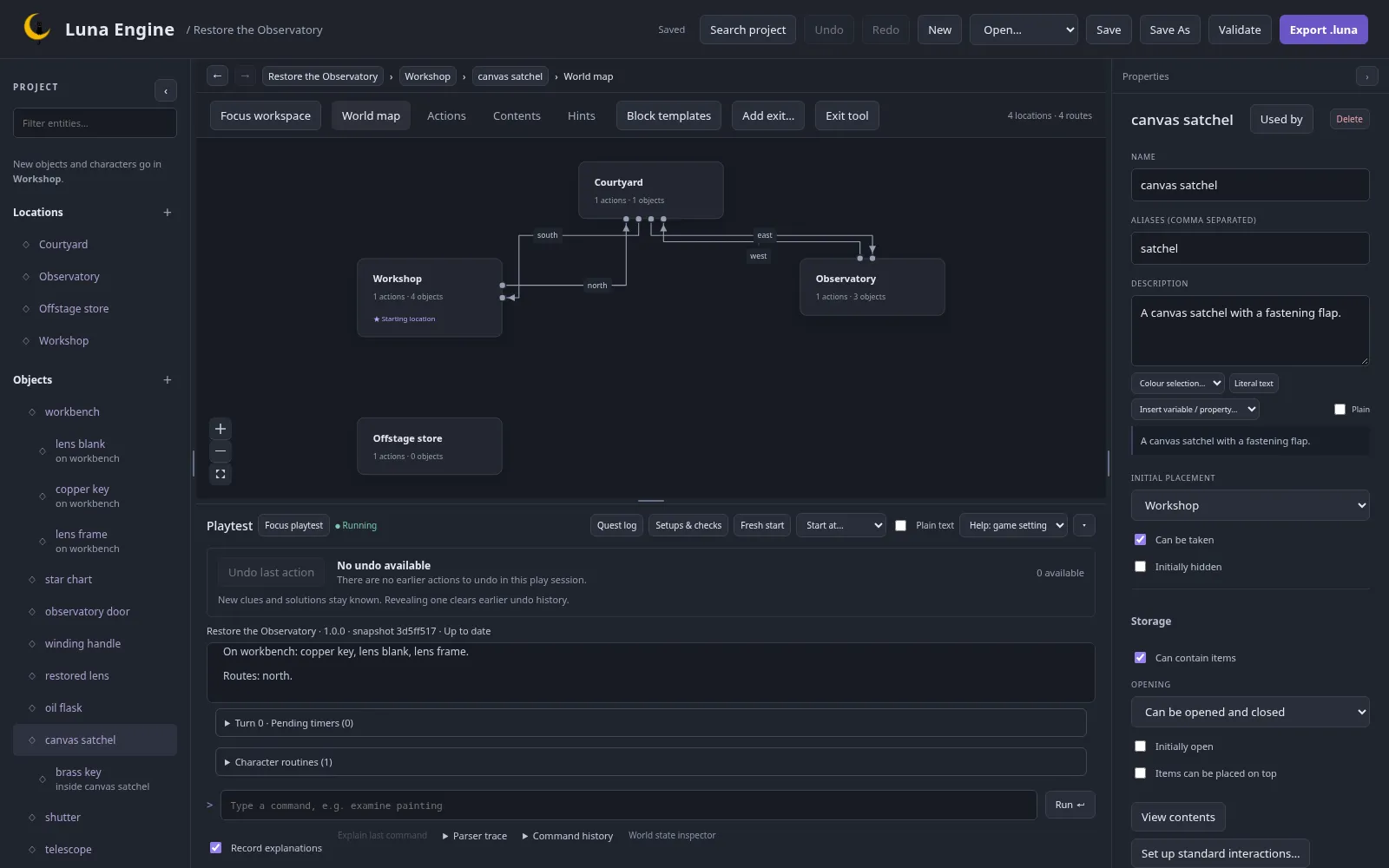
For the portable components and token, use Add starter actions for take/drop if missing. Keep their description actions.
Craft a lens
Section titled “Craft a lens”In Command vocabulary add combine, synonym fit. On the lens frame add Repair lens with pattern:
combine [lens blank] with [lens frame]Set REQUIRES to ALL(CARRYING lens blank, CARRYING lens frame). In its effect chain connect COMBINE, with those two components, both consumption options on and restored lens as result. Follow with SAY: You fit the lens blank into its frame.
The result starts absent so it cannot be taken before crafting. COMBINE places it in player inventory. Both inputs become consumed.
Check this chapter
Section titled “Check this chapter”Restart, open satchel, look in satchel, take brass key. Take blank/frame and combine them. Inspect World state: one restored lens, both inputs consumed.
Try putting the key back in the satchel, taking the satchel and closing it. The player possesses the nested key, but it is not reachable through the closed flap. Undo/restart to restore a convenient state before continuing.
Next: rules and changing responses.