
Find your way around
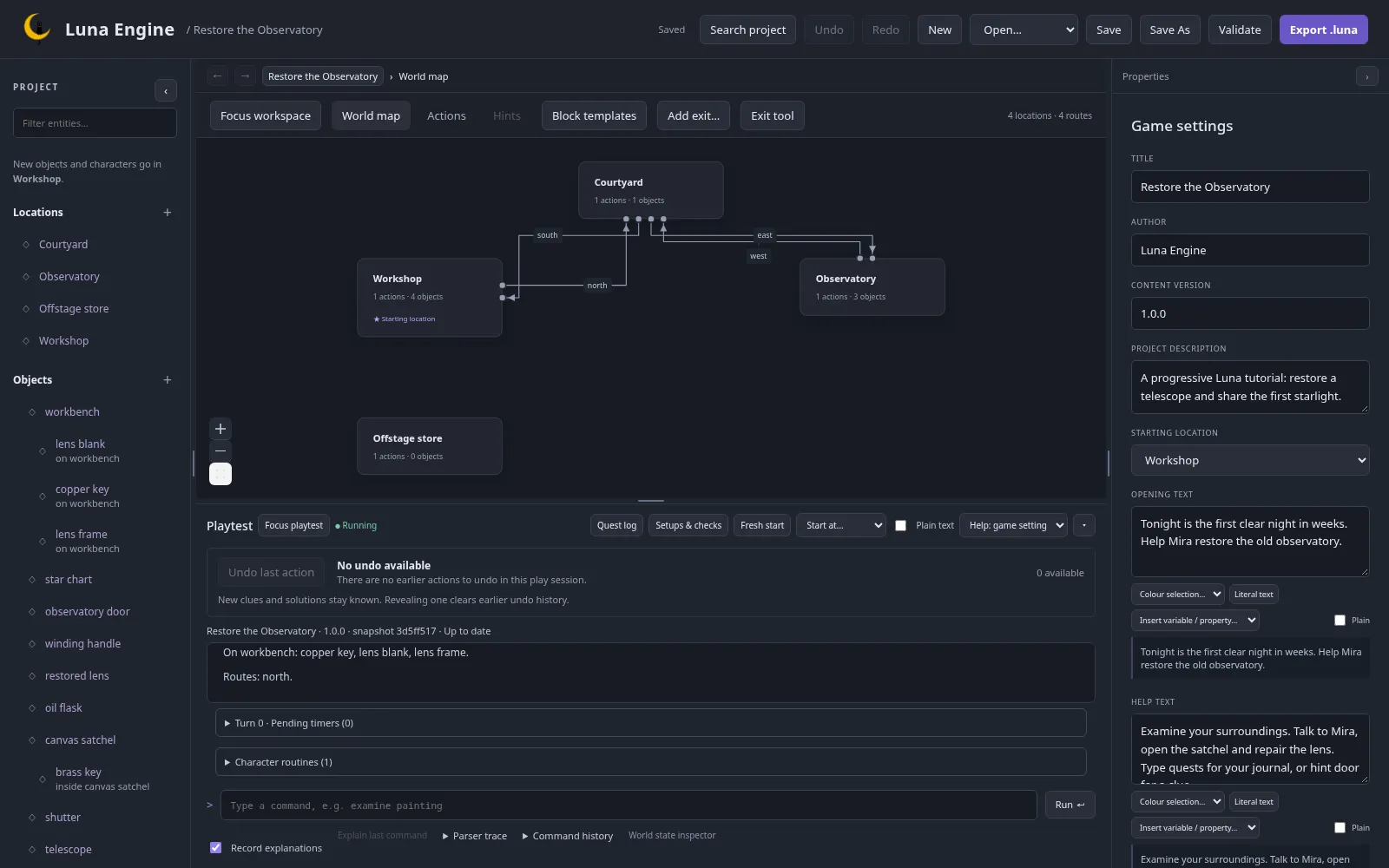
The hierarchy selects what you are editing. The central workspace shows its map, blocks or data. The inspector edits the selected entity or block. Playtest runs a separate session beside your work.
Choose a workspace
Section titled “Choose a workspace”- World map arranges locations and exits. The exit tool lives here.
- Actions shows the selected location, object or character’s command flows.
- Hints edits its puzzle hints.
- Game data opens Variables, Command vocabulary, Triggers, Procedures, Routines, Conversations, Quests and Endings.
- Game settings controls identity, opening/help/unknown-command messages, assistance and time.
Variables, vocabulary, endings and game settings use the central data workspace. Select an entity or block to use its inspector.
Use breadcrumbs and Back/Forward to revisit earlier contexts. Back to … properties returns from an action/block to its owner. Navigation preserves the session’s selected canvas and view; it does not change game state.
Make room
Section titled “Make room”Drag the hierarchy, inspector and playtest dividers. Collapse a panel with its arrow, then expand its narrow bar. Focus workspace temporarily gives the authoring area more space; Return to split view restores your previous split. Focus playtest expands the player instead.
Procedure, routine and timer libraries have Browse library / Hide library controls. Conversation Graph shows links; Logic shows the selected dialogue/reply blocks. Choosing a different graph card keeps Graph open.
Save and recover
Section titled “Save and recover”Save writes the current project. Save project as makes an editable copy in a new project folder. Keep a copy of released content before changing identities or format.
Project Undo and Redo cover forms, map positions and grouped block edits. Their tooltips describe the next operation. Ctrl/Cmd Z edits text normally while a text field has focus; elsewhere it applies project undo. This history is separate from player undo. Reload/new project/external-version acceptance starts a new project history.
If files change outside the editor, use the comparison/reload workflow. Do not overwrite another editor’s changes without reviewing them. Troubleshooting explains common recovery paths.