
Actions and blocks
Add an action
Section titled “Add an action”Select an entity → Actions → Add action. Choose a verb and command pattern. An action’s owner controls its scope; its pattern defines the words the player must enter.
For give brass key to Keeper, use verb give, entity brass key, literal to, entity Keeper. Connecting words are explicit pattern parts. Aliases and ignored noun prefixes are handled by the parser.
Choose the flow in Choose action or exit. Flow settings returns from block inspection to action settings. Give flows clear names: “Unlock garden door” is easier to find than “Action 3.”
Requirements or IF / ELSE?
Section titled “Requirements or IF / ELSE?”Put a condition in the root’s REQUIRES socket when the whole action should be refused unless it passes. Set a useful failure message.
Use IF / ELSE inside the effect chain for alternate successful behavior. Wrap in IF / ELSE puts existing effects into its THEN branch. Conditions such as carrying an item appear in both forms and blocks; both edit the same rule.
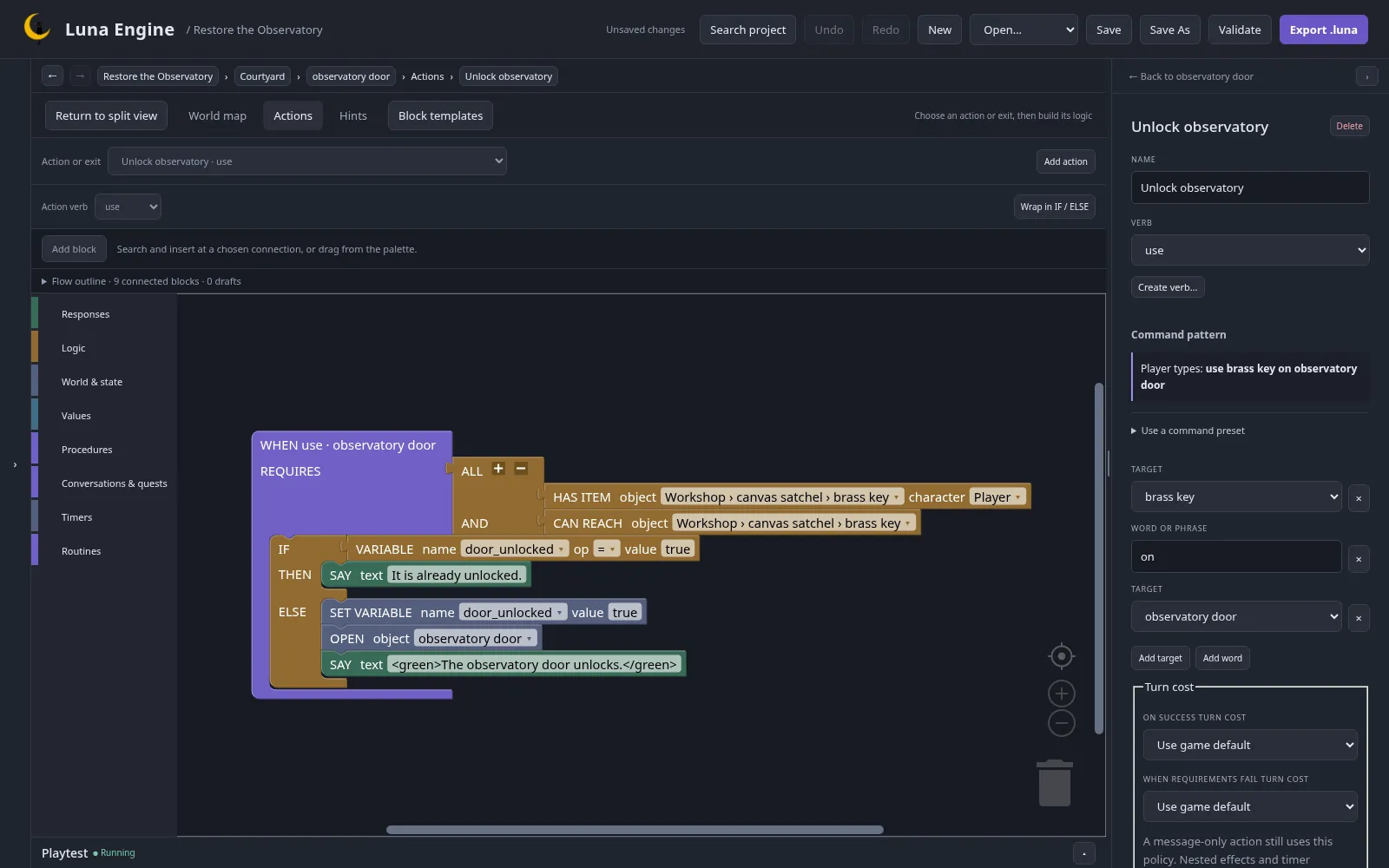
Connect and inspect
Section titled “Connect and inspect”Drag effects into a chain or a branch. Boolean conditions fit condition inputs; numeric values fit numeric inputs. ALL / ANY combine checks, NOT reverses one check.
Select a block to edit that occurrence in the inspector. Flow outline offers named selection controls and identifies disconnected drafts. Insertion controls let you add appropriate blocks without dragging; move controls reorder blocks. The existing Blockly connector shapes indicate valid attachments.
Disconnected effects do not execute. Keep deliberate drafts, but connect everything intended for the game before export.
Reuse a template
Section titled “Reuse a template”Open Block templates in the canvas toolbar. Save a whole action, the current flow’s effects, or a selected block and its following chain.
Choose the template, target owner and replacement entities before inserting. Targets need compatible properties; required verbs, values, hints and endings must exist. An inserted copy is independently editable and has independent response progress. The library is project-local, survives deletion of the source action and stays out of player exports. Portable template files are a future extension.
For shared behavior that must stay synchronized, use a procedure instead of copying blocks.
Find and undo changes
Section titled “Find and undo changes”Project search finds entities, rules and message text. Open a result to reach its exact context. Check Used by before changing shared content. Deleting referenced content opens impact review; repair or remove references deliberately.
Project Undo can reverse block edits, templates and map changes. It never rewinds the running playtest.