
Conversations and replies
Luna conversations use designer-written replies. Players choose an offered number or playtest reply button. There is no fuzzy matching or free-text keyword jump between dialogue nodes.
Build the encounter
Section titled “Build the encounter”- Add a character.
- Open Game data → Conversations → Add conversation; choose its speaker.
- Add dialogue with the character’s opening text.
- Add replies and choose each destination.
- Select Start & return to set the default entry and conditional return entries.
- Finish construction drafts before playtesting.
- Give the character a
talkaction with START CONVERSATION.
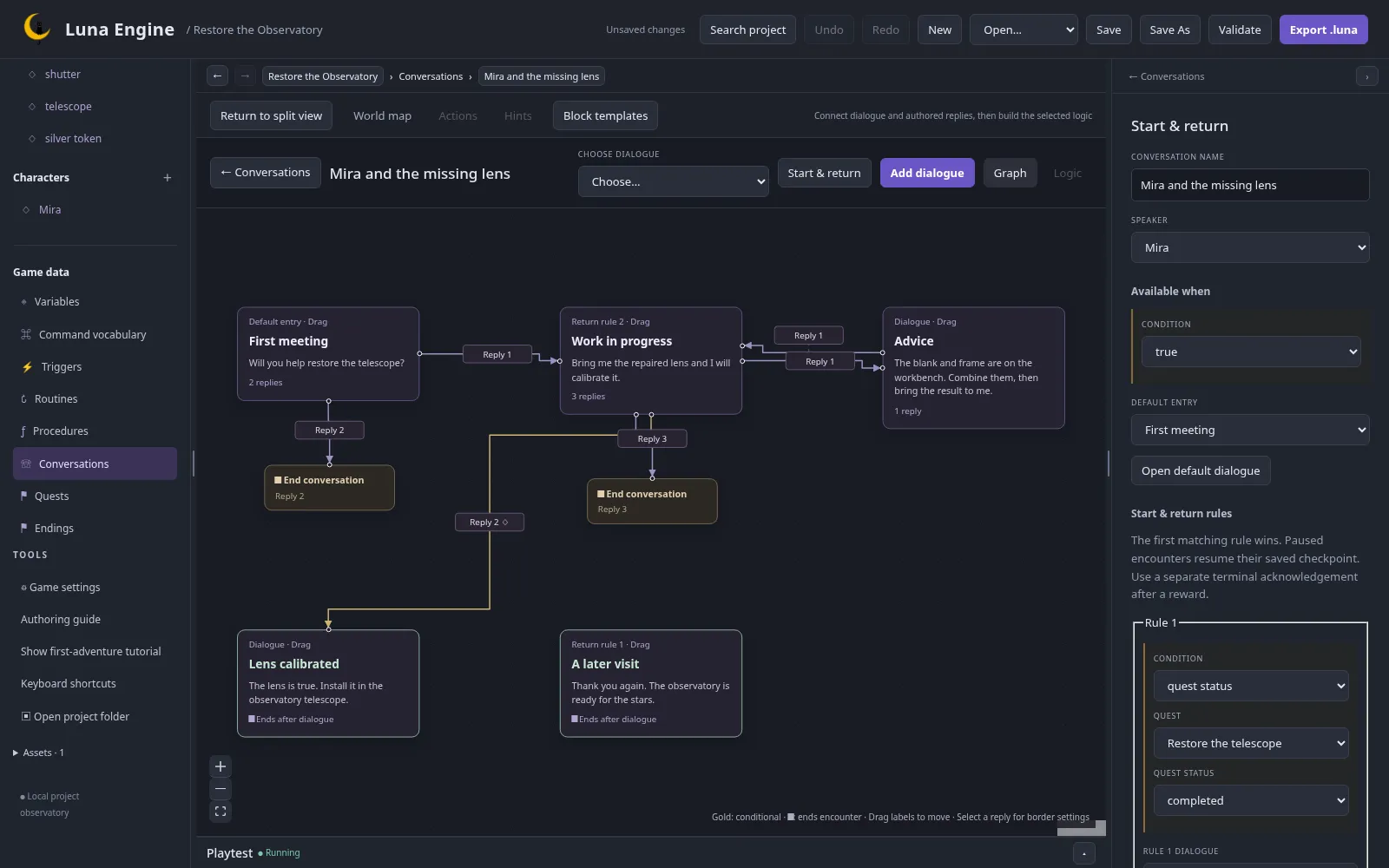
Use Graph for destinations and connections. Select a dialogue or reply, then Logic for its conditions and effects. Choose dialogue offers a form-based selection path. Move graph cards and labels for clarity without changing story logic.
Gate progress
Section titled “Gate progress”A reply’s condition controls whether it is offered. Use a carrying/possession check for a handover; check quest stages or properties for unlocked topics. Once per playthrough hides a reply after it has been chosen.
Effects can transfer items, change values, complete quest stages or call a procedure before moving to the next dialogue. A missing destination ends the encounter. A terminal dialogue prints its text/effects and ends without offering replies.
Make return visits natural
Section titled “Make return visits natural”Create a terminal dialogue such as:
Thank you again for repairing the telescope.
Add a Start & return rule that selects it when the quest is completed. Put it ahead of a broad fallback entry. Keep the reward in the quest’s completion hook so revisiting never grants it again.
Do not send returning players back to “Here are ten coins” after they have already been rewarded.
Test interruption and restoration
Section titled “Test interruption and restoration”Try the opening, every offered branch, an unavailable topic, interruption by an ordinary action, save/load mid-conversation and a completed return visit.
An active conversation can retain a checkpoint for resumption. Save/load restores progress without replaying already-entered effects. Playtest buttons use current offers; a stale button or an unoffered reply cannot skip ahead. Noun clarification temporarily takes precedence over reply selection.
The Keeper’s Key example demonstrates once-only handover, terminal acknowledgement, loops and restoration.